Designed for TV, Fire Stick, Android TV and future multi-device entertainment. Categorize your playlists, sync playback status, and customize your big screen experience.
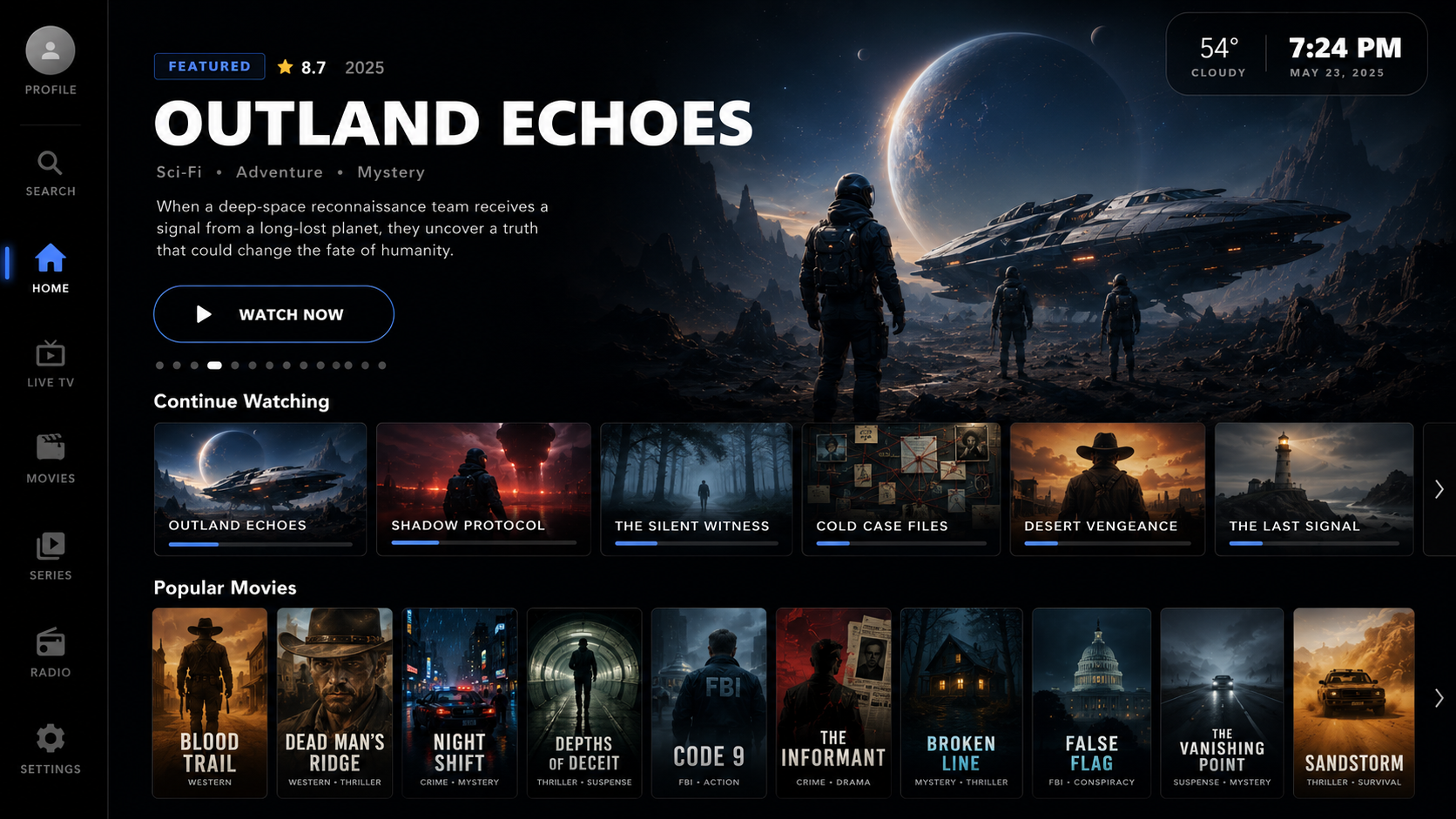
AXOM Player brings high-end features to your home theater screen setup.
Load standard M3U/M3U8 playlist URLs or select local storage playlist files effortlessly.
Algorithms automatically separate TV streams, cinema releases, season series, and radio stations.
Optimized first-class D-Pad navigation structure built for smooth Fire Stick and Android TV control.
Create distinct profiles for family members, securing histories, logs, and parental access.
Maintain playlists, dynamic history logs, and profile records synchronized automatically across screens.
Never lose track. AXOM Player tracks playback locations and prompts you to resume on other devices.
Hide adult channels, configure specific playlist category rules, or lock lists via profile PINs.
Preparing the player for future cloud mini-games support directly on your living room TV screen.
Experience how AXOM Player structures your libraries into sleek, highly-polished movie card layouts.
Many media player designs are simply blown-up mobile apps. AXOM Player is completely re-architected from the ground up to prioritize TV screens, D-pads, and fluid remote navigation, creating a cinema-like UI.
Have questions about AXOM Player? Here are standard answers.
No, absolutely not. AXOM Player is exclusively an empty media player software. We do not provide, host, sell, or distribute IPTV playlists, M3U links, TV channels, or video streams of any kind. Users must supply their own legally acquired metadata and streams.
You can install the app on your Android TV or Fire Stick. The application will present a brief activation screen containing a QR code and a 6-digit linking code. Scan the QR code or navigate to our activate portal on your phone or desktop to instantly link the screen with your user account.
No. The free mode supports local playlist loading and basic playback perfectly on individual devices. Premium features are entirely optional and are intended for those who wish to synchronize accounts, histories, rules, and profiles across multiple screens concurrently.
Yes! We have a dedicated Windows standalone testing executable (.exe) available on our download center, enabling users to test navigations, playlist parsing, and layout behaviors using keyboard arrow keys or standard controls before loading it onto their Fire Sticks.